

Swagger in .NET Core APIs
Summarize and save time
- Add swagger generator to the service collection after services.AddMvc(); in ConfigureServices() method.
services.AddSwaggerGen(c =>
{
   c.SwaggerDoc("v1", new Info { Title = "My API", Version = "v1" });
});
- Enable middleware to serve generated swagger as JSON endpoint after app.UseStaticFiles();
app.UseSwagger();
- Enable middleware to serve swagger-ui (HTML, JS, CSS, etc.), specifying the Swagger JSON endpoint.
app.UseSwaggerUI(c =>
{
    c.SwaggerEndpoint("/swagger/v1/swagger.json", "My API V1");
});
REPORT THIS AD
4. Setup completed now run the project. we are ready to go. 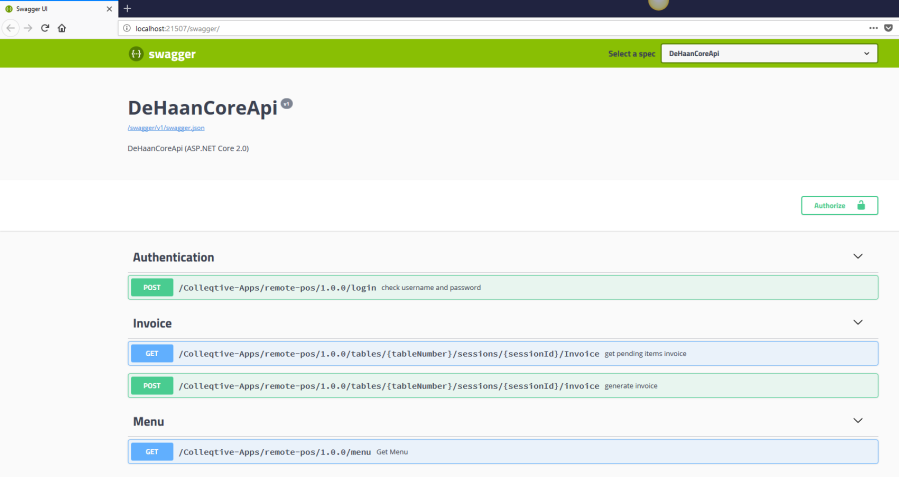
your local port number will different than mine, use your port number with slash swagger.
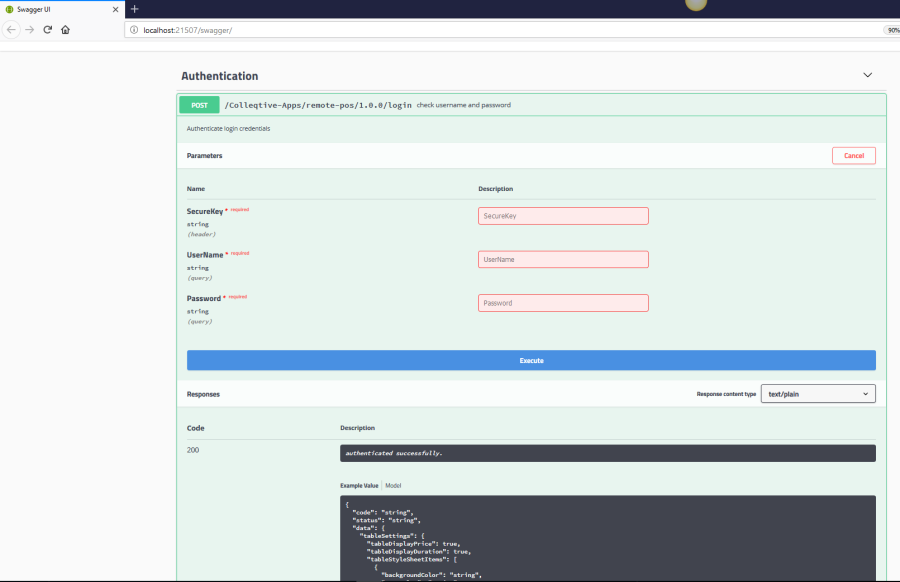
Click on try it out, by giving expected request parameters you will get response in response body section.
Summary
In this article, we learned. How to use swagger with .NET core web Api’s.
I have managed SEO and digital campaigns in several industries, but the industries that have really benefited have one thing in common; the traffic we are driving is the right traffic, and each rupee spent relates to an actual business goal. It is easy to rank for a keyword and get clicks, but the challenge comes in when we need to ensure that these visits convert, and the team knows from which medium the visit came. It is here where most "set and forget" campaigns fail, and it is here where we concentrate most of our efforts.