

QuickBooks to Business Central Migration: Process, Benefits & Challenges
Summarize and save time
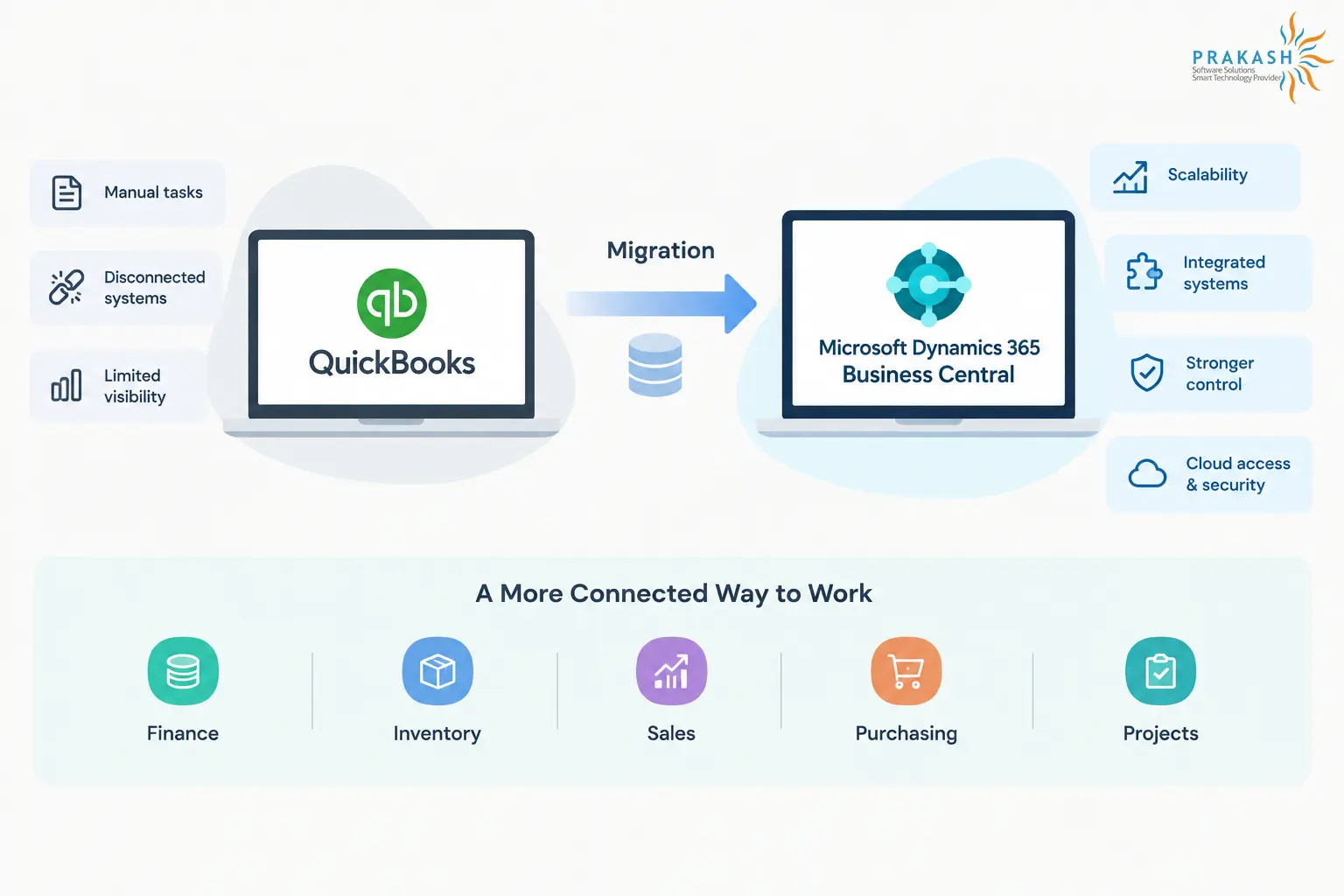
QuickBooks is a well-suited option when it comes to relatively new and upcoming businesses. However, growth quickly exposes the limitations of QuickBooks. As a business grows, scattered data, manual tasks, limited visibility, and disconnected systems can make everyday operations harder to manage. That’s why many businesses are undergoing a QuickBooks to Business Central migration to create a meaningful difference.
When QuickBooks Starts Holding You Back?
QuickBooks is often a well-suited option when it comes to small-scale or family-run businesses. However, as operations continue to expand, they need more than just basic accounting. Before understanding what usually goes into a QuickBooks to Microsoft Dynamics 365 Business Central Migration, it helps to get a proper idea of where QuickBooks starts holding your business’s potential back.
Here are some of the most common challenges faced by growing businesses:
- Limited scalability: As the number of users, entities, tasks, and transactions continue to increase, it becomes harder to manage everything financially efficiently.
- Manual work: Tasks such as reporting, approvals, scheduling, and mundane and routine processes still depend largely on manual effort.
- Disconnected systems: Limited integration among teams such as finance, sales, core operations, and digital marketing can lead to teams working across separate tools.
- Less financial control: Growing businesses may need stronger audit trails, permissions, and compliance controls.
- Limited visibility: Data spread across various systems makes it harder to get a clear, real-time view of the whole business.
With the help of Dynamics 365 Business Central, businesses can utilize these functionalities across one connected system. It combines financial management with supply chain, project, and operational capabilities.
The platform seamlessly integrates with Microsoft 365 apps, Power BI, and other third-party apps. Features such as cloud access, automated workflows, AI-driven insights, and Azure-backed security also provide growing businesses with a strong foundation to effectively manage everyday operations.
What Goes Into a QuickBooks to Business Central Migration?
There’s more to this migration than just transferring financial data from one system to another. The process usually covers the planning, setup, data transfer, and necessary user transition to get the new system up and running for daily usage.
- Existing state assessment: Review the existing QuickBooks setup, business workflows, data, and reporting requirements.
- Migration planning: Define the migration scope, proper timeline, data to be transferred, and any necessary custom changes in Business Central.
- Data migration: Move relevant and updated records such as customers, vendors, accounts, balances, and transaction history into Business Central.
- Business Central configuration: Set up modules, workflows, permissions, and other essential features around the firm’s operational requirements.
- System integration: Connect your Business Central with necessary Microsoft 365 apps, third-party apps, and other systems used across your business.
- Testing and user readiness: Validate migrated data, test core functionalities, and help users become familiar with the new system before it’s deployed.
- Post-migration support: Address issues after the platform is live and make any necessary adjustments as teams settle and get used to the new platform.
With the right expertise, a migration of this scale can be easier to manage. Partnering with a professional firm such as Prakash Software Solutions can help businesses plan and execute the transition effectively, while also providing Dynamics 365 Business Central services to support their ever-changing business needs.
What Changes After Moving to Dynamics 365 Business Central?
Making a move from QuickBooks to Microsoft Dynamics 365 Business Central automatically gives your enterprise a more connected way to manage efficiently manage finance and daily operations. Let’s explore the core benefits of the same.
- Better reporting: Connect with Power BI to transform your business data into clearer, real-time reports and visually easy-to-understand dashboards.
- Room to grow: Continues to support multiple locations, currencies, entities, and more complex operations as your business grows.
- Connected business tools: Work with Microsoft 365, Excel, Teams, Outlook, and other apps without needing to keep data across separate systems.
- Reduced manual work: A majority of tasks can be easily automated, thereby allowing employees to focus on core business and scalability.
- Cloud access and security: Access business information from anywhere while using Microsoft’s cloud infrastructure and security controls.
Core Benefits Post-Migration
Once Business Central is in place, its impact extends beyond the migration itself:
- One connected view: Brings finance, inventory, sales, purchasing, and projects into a more unified system.
- Boosted decision-making: Gives teams access to existing data and reports rather than relying on disconnected spreadsheets or manual updates.
- Seamless collaboration: Allows teams to collaborate with shared information via Business Central and Microsoft 365 integrations.
- A stronger foundation for growth: Expands capabilities as business needs change without having to replace the core system altogether again.
What to Keep in Mind Right Before Migrating?
Often, a QuickBooks to Business Central migration comes up with a variety of challenges; here are they:
- User adoption: Give teams training early on and time to adjust to new workflows.
- Data migration: Clean, map, and validate data before making a move to Business Central.
- Customization: Utilize standard features where possible and extensions when customization is necessary.
- Business disruption: It helps to plan the migration around quieter, low-activity periods and test everything before going live.
Bottom Line
Moving from QuickBooks to Microsoft Dynamics 365 Business Central is more than just a system upgrade. With proper planning, clean data, thoughtful configuration, and user readiness, organizations can build a more connected foundation. One that supports seamless operations, boosted visibility, automation, and scalability.
With 7+ years of experience in Microsoft Dynamics 365 Business Central, working across development, technical architecture, and client support has provided hands-on experience with real-world business and technical challenges. A strong interest in technology drives a continuous focus on understanding how things work and finding practical solutions.
Working closely with Business Central projects and client requirements has also helped build a strong understanding of the platform and its capabilities. Informative content focuses on sharing practical knowledge, simplifying technical concepts, and making Business Central topics easier to understand and apply.